Build Tools
Build Tools giúp bạn biên dịch, tối ưu và bundle code để deploy lên production. Chúng là phần quan trọng trong workflow phát triển hiện đại.
🛠️ Build Tools là gì?
Build Tools xử lý:
- Transpiling (Babel, TypeScript)
- Bundling (kết hợp nhiều file thành một)
- Minification (nén code)
- Code splitting
- Hot Module Replacement (HMR)
🎬 Video hướng dẫn
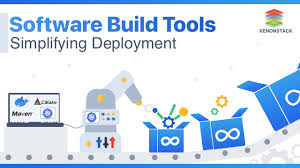
🖼️ Hình ảnh minh họa
📚 Các công cụ phổ biến
1. Webpack
Webpack là module bundler phổ biến nhất:
| |
2. Vite
Vite là build tool mới, nhanh hơn Webpack:
| |
3. Create React App
| |
4. Next.js
Next.js là React framework với build tools tích hợp:
| |
📖 Nội dung cần học
- Webpack configuration
- Vite setup
- Babel và transpiling
- CSS preprocessing (Sass, Less)
- Environment variables
- Code splitting
- Performance optimization
📊 So sánh
| Tool | Tốc độ | Độ phức tạp | Phù hợp cho |
|---|---|---|---|
| Webpack | Trung bình | Cao | Dự án lớn, cần customization |
| Vite | Rất nhanh | Thấp | Dự án mới, cần tốc độ |
| CRA | Nhanh | Thấp | Dự án React đơn giản |
| Next.js | Nhanh | Trung bình | Full-stack React apps |
✅ Best Practices
- Sử dụng code splitting để tối ưu
- Minify và compress assets
- Sử dụng environment variables
- Tối ưu bundle size
- Cache busting cho production
💪 Thực hành
- Setup Webpack cho project
- Migrate sang Vite
- Tối ưu build performance
- Setup production build
🔗 Tài nguyên
➡️ Bước tiếp theo
Sau khi nắm vững Build Tools, hãy học Testing!