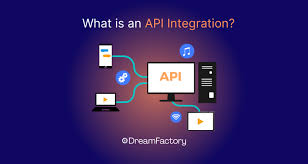
API Integration API Integration là cách Frontend giao tiếp với Backend để lấy và gửi dữ liệu. Đây là kỹ năng quan trọng trong phát triển web hiện đại.
🔌 API là gì? API (Application Programming Interface) là giao diện cho phép các ứng dụng giao tiếp với nhau. Trong web development, Frontend thường gọi REST API hoặc GraphQL API từ Backend.
🎬 Video hướng dẫn VIDEO
🖼️ Hình ảnh minh họa 📚 Các phương pháp gọi API 1. Fetch API 1
2
3
4
5
6
7
8
9
10
11
12
13
14
15
16
17
18
19
// GET request
fetch("https://api.example.com/users" )
.then((response) => response.json())
.then((data) => console.log(data))
.catch ((error) => console.error("Error:" , error));
// POST request
fetch("https://api.example.com/users" , {
method: "POST" ,
headers: {
"Content-Type" : "application/json" ,
},
body: JSON.stringify({
name: "John" ,
email: "john@example.com" ,
}),
})
.then((response) => response.json())
.then((data) => console.log(data));
2. Axios 1
2
3
4
5
6
7
8
9
10
11
12
13
14
15
import axios from "axios" ;
// GET request
axios
.get("https://api.example.com/users" )
.then((response) => console.log(response.data))
.catch ((error) => console.error(error));
// POST request
axios
.post("https://api.example.com/users" , {
name: "John" ,
email: "john@example.com" ,
})
.then((response) => console.log(response.data));
3. React Query (TanStack Query) 1
2
3
4
5
6
7
8
9
10
11
12
13
14
15
16
17
18
19
import { useQuery } from "@tanstack/react-query" ;
function Users() {
const { data, isLoading, error } = useQuery({
queryKey: ["users" ],
queryFn: () => fetch("/api/users" ).then((res) => res.json()),
});
if (isLoading) return <div >Loading...</div >;
if (error) return <div >Error: {error.message}</div >;
return (
<div >
{data.map((user) => (
<div key= {user.id}>{user.name}</div >
))}
</div >
);
}
🌐 REST API REST (Representational State Transfer) là kiến trúc API phổ biến nhất:
GET : Lấy dữ liệuPOST : Tạo mớiPUT/PATCH : Cập nhậtDELETE : Xóa⚠️ Error Handling 1
2
3
4
5
6
7
8
9
10
11
12
13
async function fetchData() {
try {
const response = await fetch("/api/data" );
if (! response.ok) {
throw new Error("Network response was not ok" );
}
const data = await response.json();
return data;
} catch (error) {
console.error("Error fetching data:" , error);
// Handle error
}
}
🔐 Authentication 1
2
3
4
5
6
7
8
// JWT Token
const token = localStorage.getItem("token" );
fetch("/api/protected" , {
headers: {
Authorization: `Bearer ${ token} ` ,
},
});
💪 Thực hành Tạo app hiển thị dữ liệu từ API Xây dựng form gửi dữ liệu lên API Xử lý loading và error states Implement authentication 🔗 Tài nguyên ➡️ Bước tiếp theo Sau khi nắm vững API Integration, hãy học Build Tools !